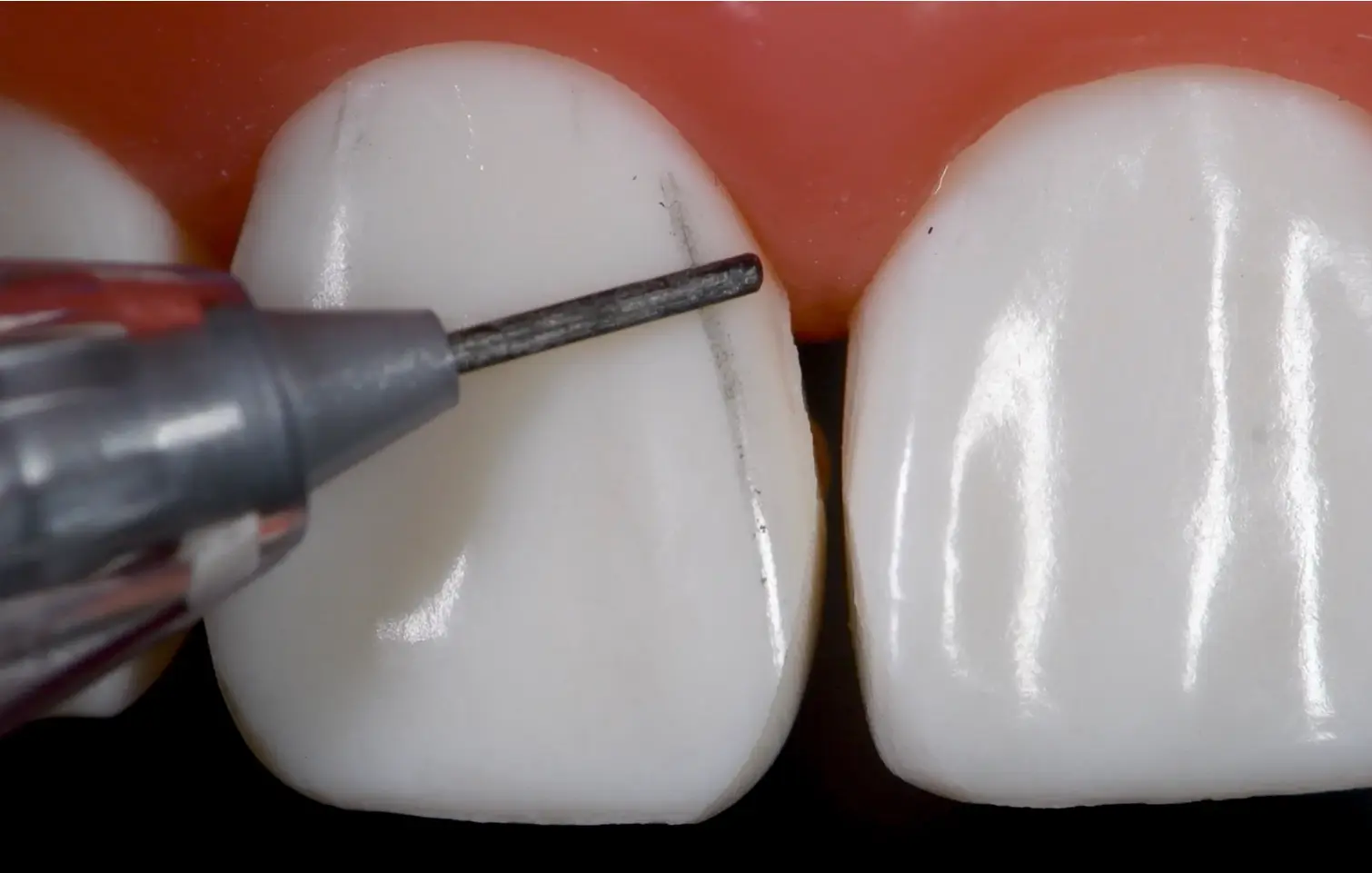
• When doing composites start with a box outline, go into the mesial and distal embrasures
	○ Not where the line angles start and finish
	○ Note where the secondary anatomy (lobes, undulations of the tooth) help to bounce the light and give it more character
		§ Perikymata
• Adding the 3d texture and secondary anatomy help the tooth to not look like a "fridge door"
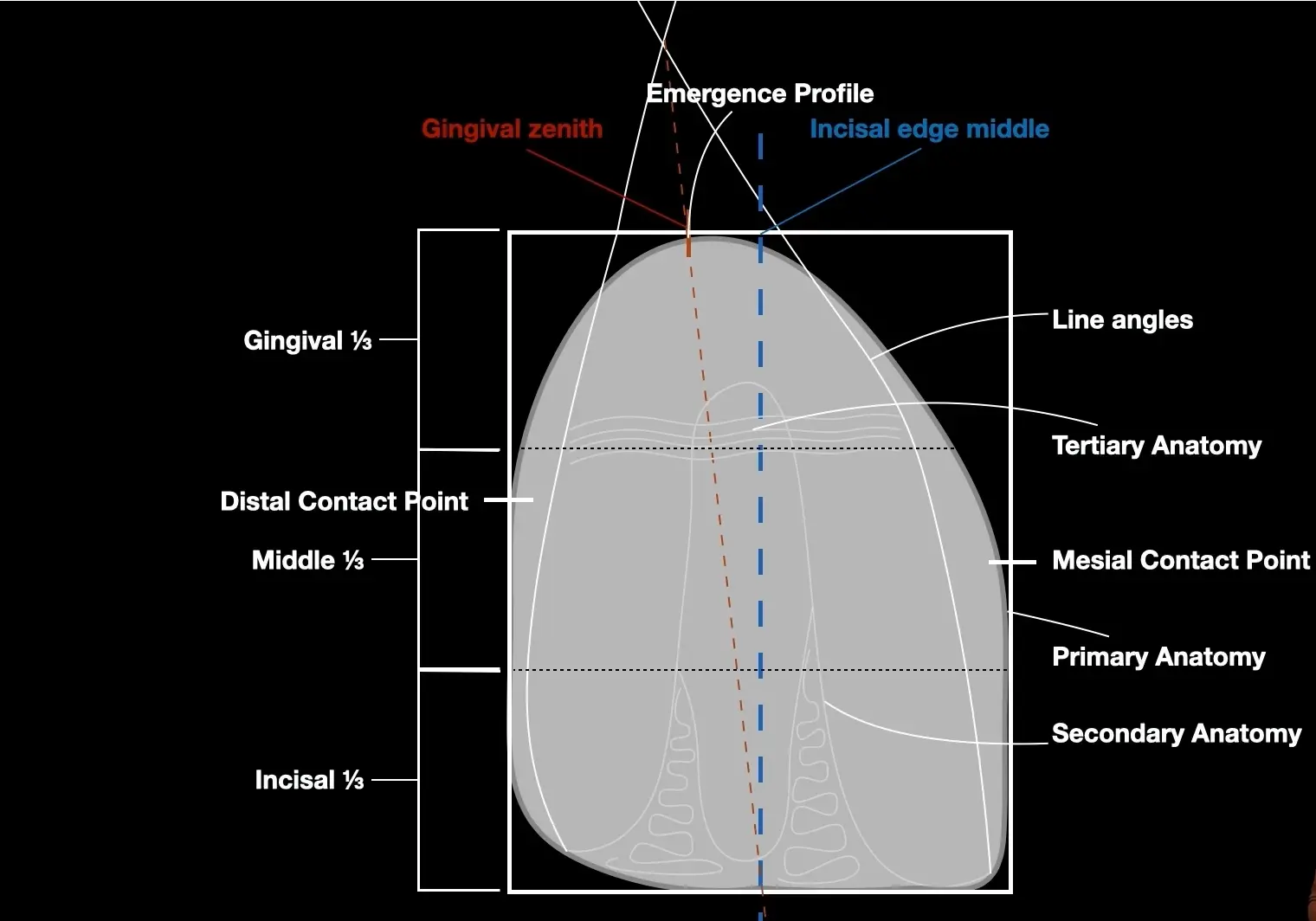
• To find a line angle you can use the side of a pen or a marker
• Do this when
	○ You have to match another tooth
	○ Something feels off and you're not sure
•